

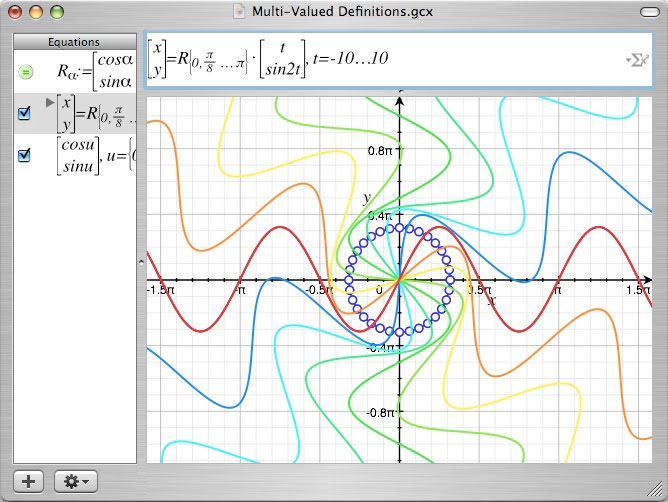
One of the most underrated features introduced in OS X 10.4 (Tiger), especially for scientists, is Grapher.app, the powerful 2D and 3D graphing calculator located in the Applications->Utilities folder. Grapher is capable of creating both 2D graphs including margins, classic, polar, lin-log, log-log, polar log and white as well as 3D graphs including frame, gradient, white, cylindrical system, spherical system, black and white and blank. Grapher allows you to edit the appearance of graphs by changing line colors, adding patterns to rendered surfaces, adding comments, and changing fonts and styles used to display them. Grapher can also be used to create animations of graphs by changing constants or rotating them in space. Grapher provides powerful equation editing capabilities and supports multiple equations in a single graph.
What’s particularly interesting about Grapher’s equation editing abilities is the fact that equations created in Grapher can be copied or exported in LaTeX format for advanced equation formatting for publication. Included with the application are many pre-built examples that allow you to explore its 2D and 3D capabilities. If you are using Grapher in your research or would like to submit a tip or trick on using Grapher we’d love to hear about it.
Figure 1. Sample Grapher screenshot detailing advanced rendering and multiple equation support.

Stay connected